
SlackInvoice

Create & send Stripe invoices from Slack – get notified when paid.
SlackからStripeの請求書を作成・送信 – 入金されたらSlackで通知。
Turn a conversation into an invoice, send it to your customer, and get paid without leaving Slack. DM SlackInvoice or @mention it to create invoices, send payment links, list customers, and get notified when invoices are paid.
会話をそのまま請求書に変えて、Slackを離れずに顧客へ送信し、入金まで受け取れます。 SlackInvoiceへのDM、または@メンションで、請求書の作成、支払いリンクの送信、顧客の一覧表示、 入金の通知まで、すべてSlack上で完結します。
 Free to try – no credit card required.
無料でお試しいただけます。クレジットカードは不要です。
Free to try – no credit card required.
無料でお試しいただけます。クレジットカードは不要です。
Watch the demo
デモを見る
How it works in Slack
Slackでの使い方
- Click Add to Slack and approve access for your workspace.
- Add to Slackをクリックして、ワークスペースへのアクセスを許可します。
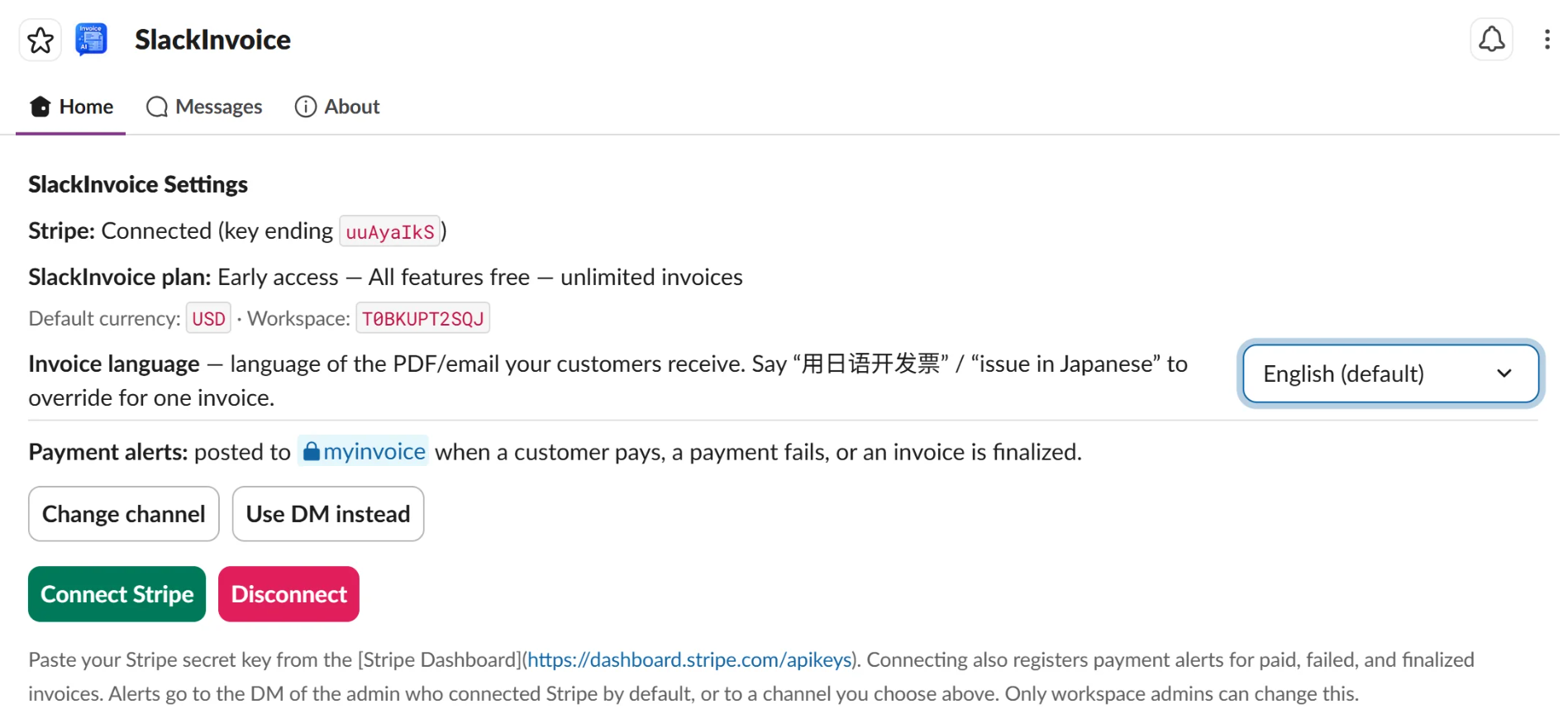
- A workspace admin opens the SlackInvoice Home tab and connects a Stripe secret key.
- ワークスペースの管理者がSlackInvoiceのHomeタブを開き、Stripeのシークレットキーを接続します。
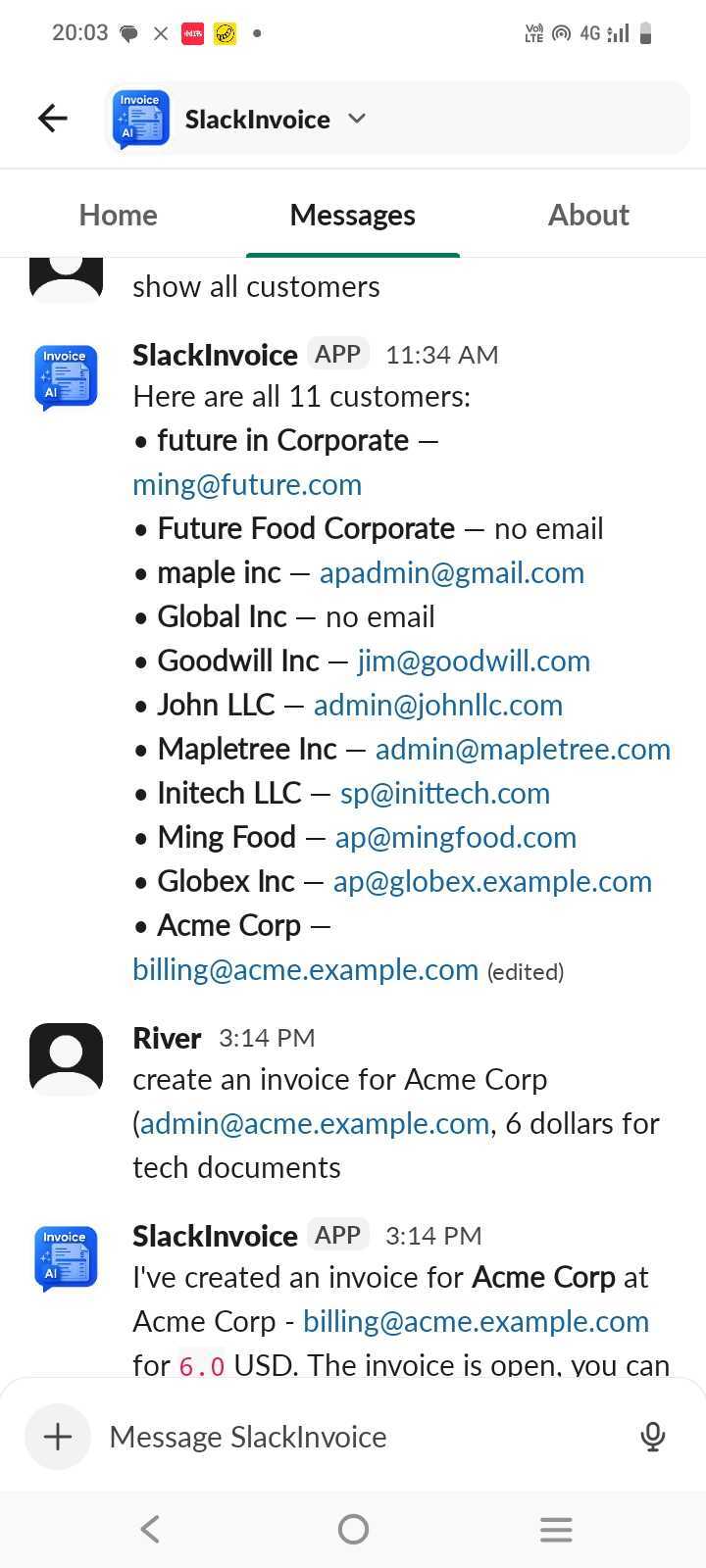
- Team members message SlackInvoice in a DM or channel – for example: “invoice Acme Corp for $500 consulting.”
- メンバーがDMまたはチャンネルでSlackInvoiceに話しかけます。例:「Acme Corpに$500のコンサルティング料を請求して」
- SlackInvoice replies with invoice details, a payment link, and buttons to send or void the invoice.
- SlackInvoiceが、請求書の内容・支払いリンク・送信/無効化ボタン付きの返信をします。
- SlackInvoice notifies an admin or a specified channel once an invoice is paid, saving staff from checking invoice status from time to time.
- 入金されると管理者または指定チャンネルに通知されるため、請求状況を都度確認する手間が省けます。
What you can do
できること
Create invoices
Describe the customer, amount, and work in plain English. Get a payable Stripe link instantly.
請求書の作成
顧客・金額・内容を自然な言葉で伝えるだけで、支払い可能なStripeリンクがすぐに発行されます。
Send & track
Email invoices to customers, list open or paid invoices, and receive Slack alerts when payments arrive.
送信と管理
請求書をメール送信。未払い・支払い済みの一覧表示。入金時にはSlackでアラートを受け取れます。
Manage customers
Search customers, view company names and emails, and update billing contact details from chat.
顧客管理
チャットから顧客を検索し、会社名やメールアドレスを確認。請求先の連絡先も更新できます。
Revenue summary
Ask how much you have collected without opening the Stripe Dashboard.
売上サマリー
Stripeのダッシュボードを開かずに、これまでの回収額を質問するだけ。
Example prompts
プロンプト例
invoice Globex Inc, ap@globex.com, for $1,500 – Q1 consulting
show me all open invoices
list all customers with email addresses
send invoice in_abc123 to the customer
how much revenue have we collected?
Globex社に$1,500のQ1コンサルティング料を請求して(ap@globex.com宛)
未払いの請求書をすべて表示して
顧客をメールアドレス付きで一覧表示して
請求書 in_abc123 を顧客に送信して
これまでにいくら回収できている?
users:read.email scope) for operational contact only – support, security, and service
updates. No marketing emails. By installing or connecting Stripe, you consent to this use.
See our Privacy Policy and
Terms of Service.
users:read.email権限を経由して)運用上の連絡のみに利用する場合があります。連絡内容は
サポート・セキュリティ・サービス更新に関するものに限り、マーケティングメールは送信しません。
インストール、またはStripeへの接続をもって、この利用に同意したものとみなされます。
プライバシーポリシーと
利用規約もご確認ください。